Sutra app icon
EPUB · COMICS · OPDS · WEBDAV · iOS · ANDROID

Sutra

A thread that binds your books

Sutra — a reader for your DRM-free books and comics. Connect your Kavita, Calibre, Komga, or WebDAV server, or a supported OPDS catalog. Load local files, read manga and comics panel by panel, track your reading stats, and auto-scroll through long reads.


Free to download · EPUB and PDF reading are free · Limited previews may be available · Full CBZ, DRM-free MOBI and Komga require Pro Where to legally buy DRM-free books →
KAVITACALIBREKOMGAWEBDAVGUTENBERG
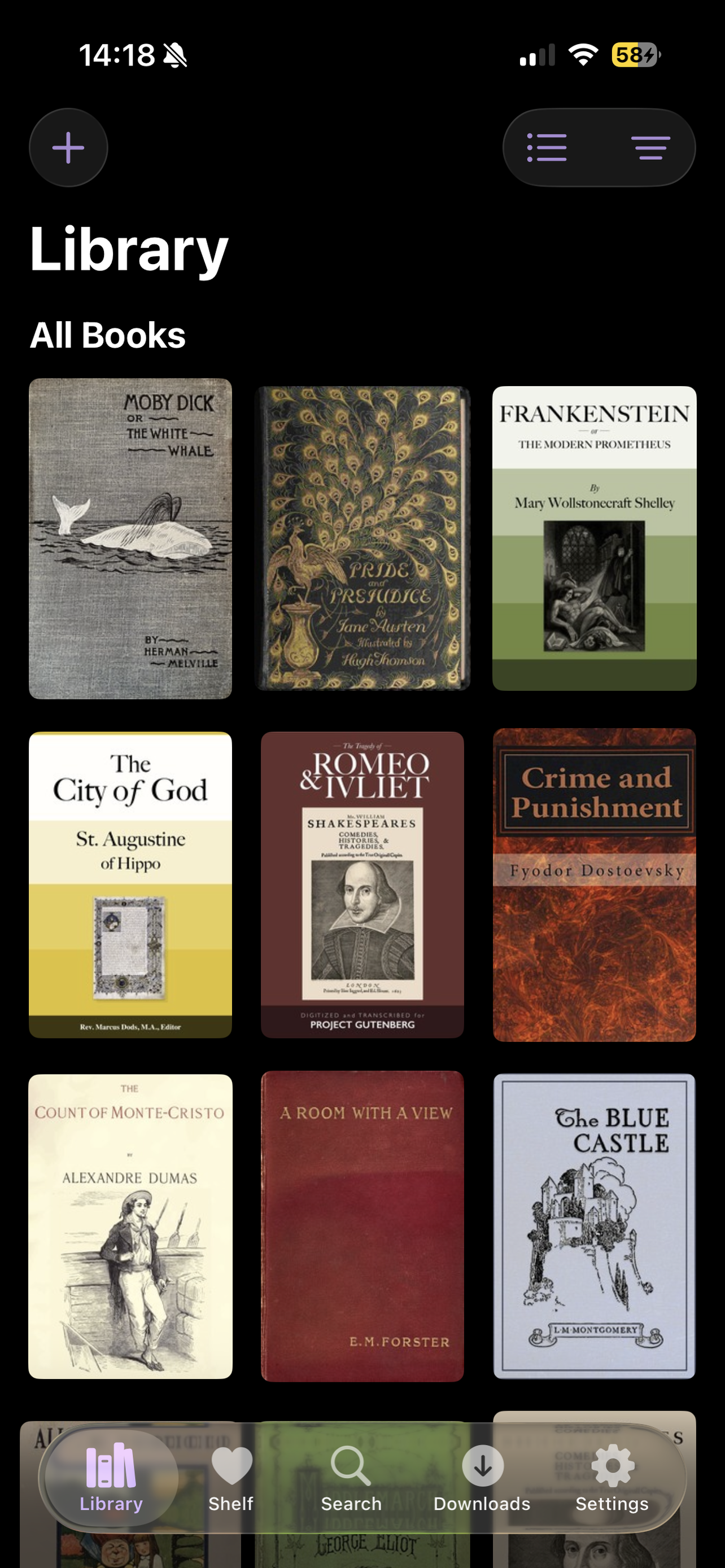
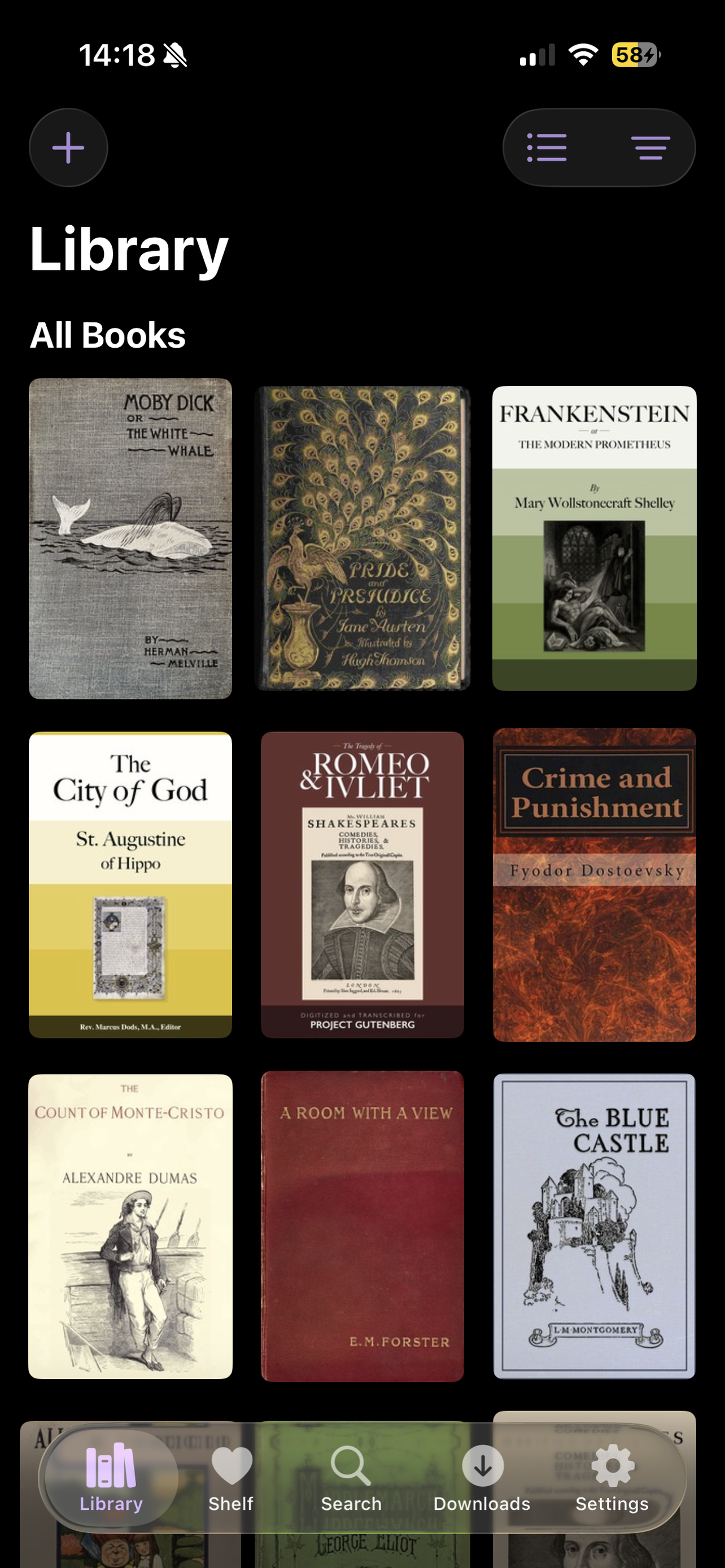
Sutra library screen

See it in action

Library view
01 · library
02 · panel comics
03 · auto-scroll
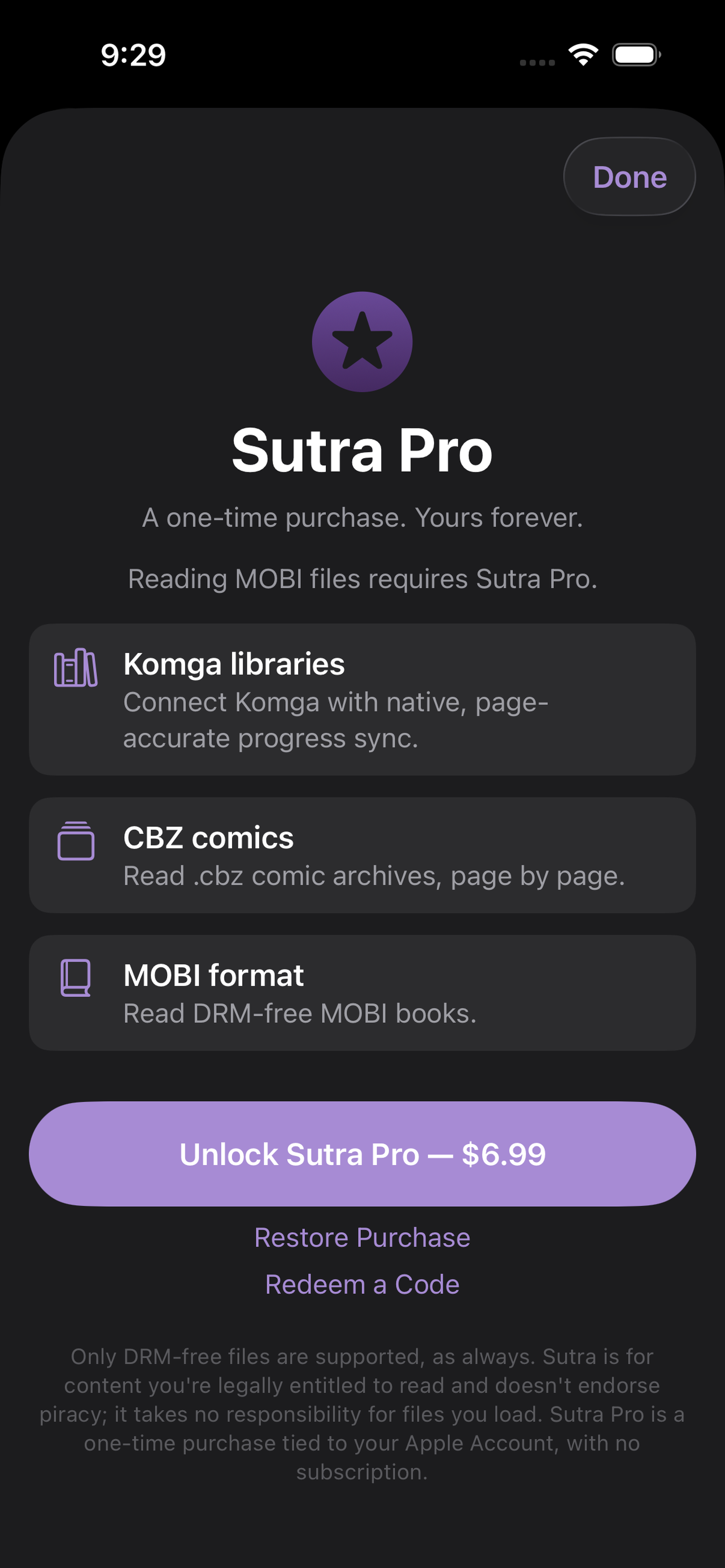
Sutra Pro unlock screen
04 · Sutra Pro
iOS iPhone and iPad
What's inside

Twelve things, done properly.

Both

Bring your own server

Connect Kavita, Calibre, Komga, or any OPDS server, plus WebDAV hosts like Synology. Everything works on your local network, with no cloud middleman.

Both

Gutenberg & Standard Ebooks

Project Gutenberg's 75,000+ public-domain classics and Standard Ebooks' typeset collection, no server required.

iOS

A library that sorts your way

Sort by Recently Read, Title, Author, or Date Added. Books with no artwork get a clean title-and-author cover instead of a blank tile.

iOS

Series, Collections & Favorites

Series appear as grid tiles, and books from the same series stack with a count. Collections open in a consistent grid, and you can rename your own. Favorites is built in, always first, with its own heart-marked card.

Both

EPUB, PDF, CBZ & MOBI

Themes, fonts, bookmarks, and in-book search. Open files from your device's file manager or any share sheet, no server required. Landscape on iPad and Android tablets shows a two-panel facing-page spread, and iOS adds authentic page-curl turns.

Both

Panel-aware comics & manga

Panel Mode and right-to-left manga reading are available on iOS and Android for supported content. Full CBZ reading requires Pro. CBZ page streaming is available on supported Kavita and Komga setups; Komga also requires the account's Page Streaming permission.

iOS

Auto-scrolling

Set your pace and let the page flow. Swipe up or down to adjust speed on the fly, or tap to pause and resume. Perfect for hands-free reading.

Android

Made for e-ink

A dedicated e-ink display mode keeps reading crisp on e-ink screens.

Both

Highlights, Notes & Dictionary

Highlight in color, add notes, and look up words in the built-in dictionary. On iOS, double-tap a word to define it, and footnotes open in a sheet so you never lose your place.

Both

Pick up where you left off

Reading progress syncs back to your Kavita and Komga servers. On iOS, iCloud also keeps position, bookmarks, and highlights in step across your devices, and on Android, Export keeps your data portable.

Both

Reading Statistics

A Stats tab tracks your reading time and progress across your library. On iOS you also get a streak, a swipeable activity chart, and time-remaining estimates that learn your speed for each format.

Both

Try Before You Buy

A limited preview may be available for supported CBZ and comic-shaped MOBI files. Full CBZ and DRM-free MOBI reading require Sutra Pro.

Free vs Pro

Free to read. Pro to go further.

Features vary by platform and file format; the table identifies the supported tier. Pro is a one-time purchase through each platform's store. In the US, Sutra Pro is $6.99 USD on the App Store and Google Play. Prices may vary by region; check your store for current local pricing.

FeatureFreeSutra Pro
Reading
EPUB & PDFThemes, fonts, bookmarks, search
Panel Mode & right-to-left mangaFree for everyone
E-ink display modeFree. Android only
Highlights, notes & dictionary
Reading statistics
iPhone Duo supportiOS only. Two-page reading and fold-aware layout in Sutra 2.5.0 or later
Libraries & sync
OPDS, Kavita, Calibre, WebDAVPlus Project Gutenberg and Standard Ebooks
Reading progress sync to your serverKavita, plus Komga with Pro
Library backupiCloud on iOS, Export on Android
No analytics or tracking
Sutra Pro
CBZ comicsA limited preview may be available; full reading requires ProPreviewFull
MOBI booksDRM-free. Sutra Pro only—
Stream CBZ from Komga and KavitaSupported endpoints required; Komga also requires Page Streaming permission—
Komga server connection—
Price
CostOne-time, no subscription. Bought separately on each platformFreeSee store
Find your setup

Guides for your library and reading style.

Where can I legally buy DRM-free books?

Sutra works with files you own outright — no DRM, no lock-in. We've put together a curated list of stores and publishers that sell ebooks the right way: you pay, you download, you keep the file forever.

Browse our curated list →
Sutra Pro

Optional Pro features. No subscription.

Reading EPUB and PDF stays free. Pro is a single payment with no subscription, so buy it on the platform you read on.

  • Full .cbz comics beyond the free preview
  • DRM-free .mobi books
  • Komga server connections
$6.99one-time purchase

Purchases are per platform. Apple and Google handle billing separately, so Pro on iOS does not carry over to Android.

Where it's headed

Built in the open, one version at a time.

iOS 2.4.1 / Android 1.3.0
Oct 22–23, 2026
  • Recently Added sort in Sort & Filter, with newest imports first
  • Recently Read no longer scatters unopened books
  • Komga books show their series, so they stack and appear under More in this series
  • Footnotes in endnote books open the popup instead of jumping to the end
  • Reader tour no longer turns pages
  • Page curl in EPUB, MOBI, PDF and comics (off by default)
  • Reader brightness for Sutra only, remembered
  • Footnotes open in a card at the bottom of the screen
  • Four new reading fonts
  • Manga-style reading for a whole library or a single series
  • Next-in-series banner at the end of a book
  • Reading menu and PDF improvements
  • Smaller improvements, including import results and a smaller download
2.5.0
Nov 3, 2026
  • Made for iPhone Duo — Open a book across the inner display and it becomes a real two-page spread, with a page curl that follows your finger and text that stays clear of the hinge. Fold the Duo to the outer display and you get one clean page.
  • Every format, both screens — EPUB, PDF and comics all turn facing pages, and Panel Mode reads comics panel by panel on the outer display, flat inner display or folded one.
  • Follows the fold — The Library grid, reader controls and layout adjust as you flip the Duo to the seated pose, fold it halfway or work in Split View. iPhone and iPad look exactly as before.
2.4.0
Oct 15, 2026
  • Panel-by-panel reading uses one improved detector for all comics and manga
  • Manga-style reading as a library and series setting that respects ComicInfo direction, with right-to-left paging for PDFs and page curl that follows reading direction
  • Comics open on the full page the first time, then remember the mode you last used for each book
  • Four new reader fonts: Atkinson Hyperlegible, OpenDyslexic, EB Garamond, and Libre Baskerville
  • Sorting by author groups books into author stacks, and Sort & Filter shows what's active
  • Library grid tiles line up whether titles run one line or two
  • Series are always on — the Series as Collections setting is gone
  • Safer downloads and imports: size limits and checks before files join your library, a per-file results sheet, duplicate detection, and a cancel button
  • More accurate reading-time estimates, and library search no longer brings the keyboard back after you return from a book
2.3.10
Oct 6, 2026
  • What's New — a short list of changes after each update, also available from Settings
  • Sorting a large library by title, author, or recently read is about 5x faster
  • Fixed lag and freezes when turning pages in books, PDFs, and comics — now about 1 ms with 3,000 books
2.3.5
Sep 29, 2026
  • Refreshed Library — sort by Recently Read, Title, Author, or Date Added
  • Dedicated Series and Collections views, with renamable custom collections
  • Favorites is now a built-in collection, always first, with its own heart-marked card
  • Polished title-and-author covers for books without artwork, plus themed collection cards in light and dark mode
  • Reader brightness control in the Aa menu — independent of your device's system brightness
  • Project Gutenberg in first-run onboarding, with more reliable search and no duplicates
  • Smoother comic reading — panel pages are prepared and prefetched ahead of time
  • More reliable Calibre series metadata, server completion sync, and cleaner Kavita titles
2.2.5
Sep 22, 2026
  • iOS 27 and iPadOS 27 readiness improvements, including safer library removal and multi-window/layout handling
  • Inline EPUB footnotes that open in a sheet without losing reading position
  • Keeps the display awake during active reading
2.2.1
Sep 15, 2026
  • Streaming comic-page support for Komga and Kavita — start reading CBZ files without waiting for a full download
  • Series stacks in your library — books from the same series grouped automatically with a count badge
  • Richer book details page — server descriptions, flip-through series carousel, and one-tap access to any book
  • Smarter progress tracking — accurate Kavita EPUB progress, per-format reading-speed estimates, and instant completion updates
  • Restored tactile drag-to-turn animation; improved auto-scroll and reader performance
  • Standardized cover sizes, gutters, and stacks across the library; fixed duplicate titles and fabricated series names
  • Substantial native Android alpha groundwork
2.1.10
Aug 26, 2026
  • Fixed EPUB reading position lost when rotating between portrait and landscape
  • Swipe up/down to adjust PDF auto-scroll speed live — replaces the tap-to-pause model
  • Search results respect your grid/list view preference; book titles wrap in list mode
  • Project Gutenberg now defaults to all language filters, speeding up initial discovery
  • Fixed iPad tap navigation broken by a high-priority gesture recognizer
  • Library crawl performance improved; Stats screen filters out sub-minute sessions
2.1
Aug 17, 2026
  • Manga mode — right-to-left reading, top-right to bottom-left panel order, dedicated panel tuning
  • WebDAV server support — Synology and any WebDAV host, self-signed cert trust prompt
  • Reading Statistics — time read, streak, swipeable activity chart, library-wide progress
  • Try Before You Buy — 7-page free preview of any CBZ comic or MOBI book
  • Two-panel facing-page spread on iPad (EPUB, MOBI, PDF in landscape)
  • Pinch-to-zoom on embedded images
  • High-contrast Contrast reading theme
  • Page-curl animation for comics
  • Smarter library — on-device caching, per-library filtering, bulk collection management
  • Adjust auto-scroll speed by swiping up or down while reading
  • Smoother continuous scrolling that resumes exactly where you stopped
  • Easier connectivity to self-hosted servers without HTTPS (Tailscale guidance)
  • Fix for books occasionally opening to a blank page
2.0
Aug 3, 2026
  • Panel-aware comic reading — one panel at a time
  • EPUB auto-scrolling with adjustable speed
  • Sideload local files from your phone
  • Sutra Pro: .cbz comics, .mobi books, and native Komga integration
1.3
Jul 16, 2026
  • Text highlights with color — synced via iCloud
  • Instant dictionary — double-tap any word while reading
  • Browse books by series in the Collections Shelf
  • Calibre-Web-Automated support
  • Server compatibility improvements (Tailscale, Grimmory, OPDS detection)
  • Enhanced cover-image caching and library performance
1.2
Jul 10, 2026
  • Standard Ebooks catalog, with Patrons Circle sign-in
  • Authentic page-curl page turns
  • Dark mode — Day, Night, or follow System
  • Left-Handed Page Turns for one-handed reading
  • Series info and sorting from your Kavita library
  • A wide pass of reliability and security fixes
1.0
Jul 7, 2026
  • Kavita, Calibre, and OPDS server support
  • Project Gutenberg one-tap catalog
  • EPUB + PDF reading: themes, fonts, bookmarks, search
  • Offline downloads and storage manager
  • iCloud sync + page-accurate Kavita sync
1.2.0
Oct 17, 2026
  • Stream Komga and Kavita comics page by page, with no download needed (Sutra Pro)
  • Sort by Recently Read, Title, or Author, with a separate Show choice for Books, Series, or Collections
  • Author stacks when sorting by author
  • Collections as a grid, with Favorites first and renaming from a collection's page
  • New placeholder covers that follow light and dark themes
  • Pull to refresh, and mark many books as finished at once
  • Two-panel reading on tablets in landscape
  • A compact shared top row across Library, Stats, Downloads, and Settings, plus updated Material 3 theming
1.1.1
Oct 11, 2026
  • Series stack in the Library. Books from the same series now appear as one stacked tile with a count, and tapping it opens the book you were last reading in that series, or its first book. You can turn this off with Stack series in grid in Settings.
  • Series is now a grid. Sort by Series shows the series as covers, like the rest of your Library, instead of a list.
  • Half-numbered books keep their place. A novella numbered 2.5 now sits between books 2 and 3 instead of being rounded up. Libraries refresh their numbering the next time they sync.
  • More in this series, higher up. On a book's page the series row now sits right under the actions, shows the whole series, and centers the book you are looking at with an outline.
  • Time left in the reader. The bottom bar now shows the page, percentage and an estimate of the time left in the book, like on iPhone. It learns your reading speed as you read.
  • Cleaner reader bar. The extra previous and next arrows under the progress slider are gone from PDF and comic readers. Swipe or tap to turn pages.
1.0.2
Oct 10, 2026
  • What's New after each update, reopenable from Settings
  • Bottom tab bar on tablets, matching phones
  • Library opens sorted by Title, and your sort choice is remembered
  • Faster Komga refreshes, and server descriptions now show in book details
  • Reading Progress in Stats lists each book with its cover, and Downloads opens book details
  • Fixes for Project Gutenberg search results, long URLs in EPUBs, and Kavita completion sync
1.0.0
Oct 7, 2026
  • Sutra is now on Google Play — read EPUB, PDF, CBZ comics, and DRM-free MOBI
  • Connect your own library: OPDS, Kavita, Komga, Calibre, WebDAV, Project Gutenberg, and Standard Ebooks
  • Offline-first library with resume and server progress sync
  • Themes, fonts, bookmarks, highlights, notes, and a dictionary
  • Panel Mode for comics and right-to-left manga
  • E-ink display mode
  • No analytics or tracking
KOReader
Upcoming
  • KOReader support, on iOS and Android together
Panels
Upcoming
  • Panel improvements for comics and manga, on iOS and Android together