Sutra app icon
EPUB · COMICS · OPDS · WEBDAV · iOS

Sutra

A thread that binds your books

Sutra — the app to read all your DRM-free content. Connect your Kavita, Calibre, Komga, or WebDAV server, any OPDS catalog, or Project Gutenberg's full public-domain library. Load local files, read manga and comics panel by panel, track your reading stats, and auto-scroll through long reads.

Download on the App Store Free on the App Store · Preview any comic or MOBI free · Sutra Pro unlocks .cbz, .mobi & Komga Where to legally buy DRM-free books →
KAVITACALIBREKOMGAWEBDAVGUTENBERG
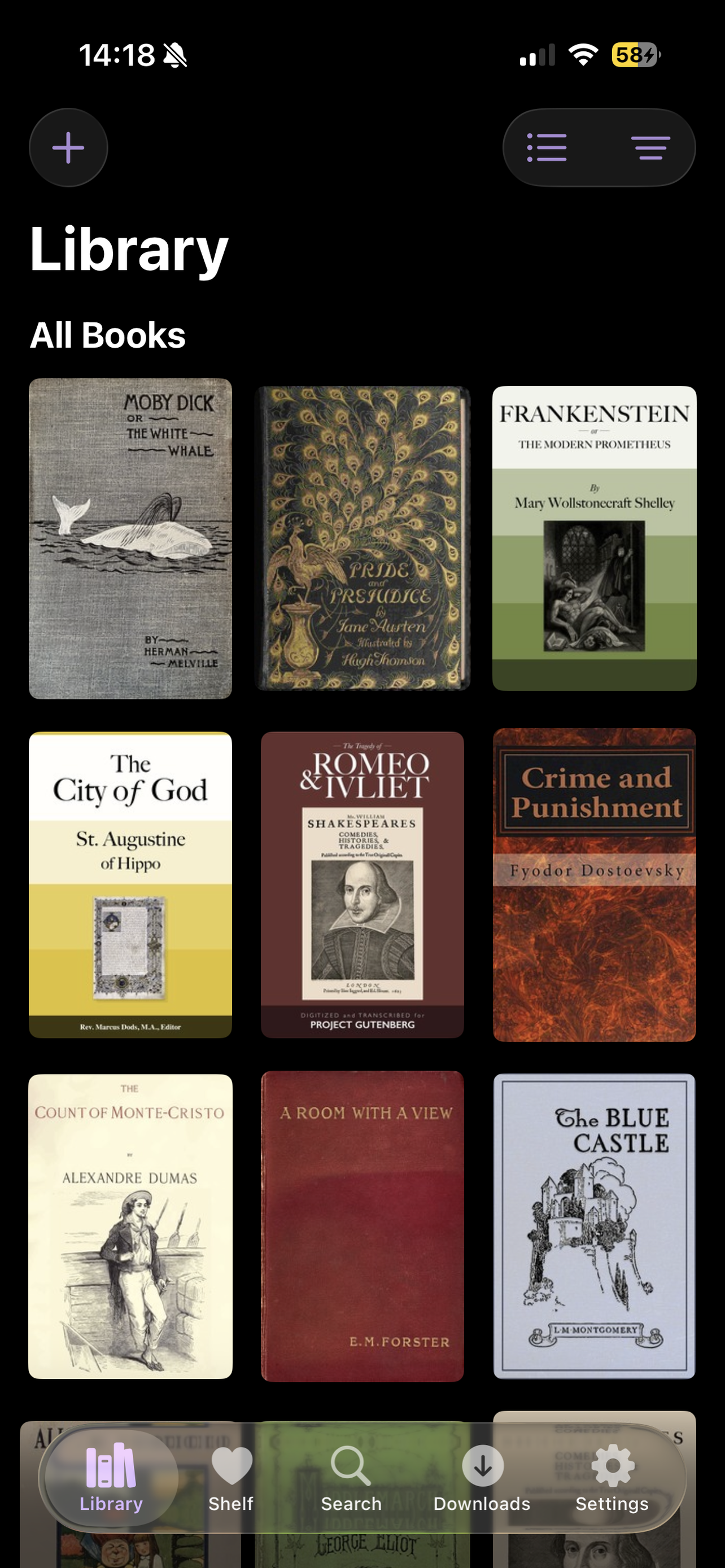
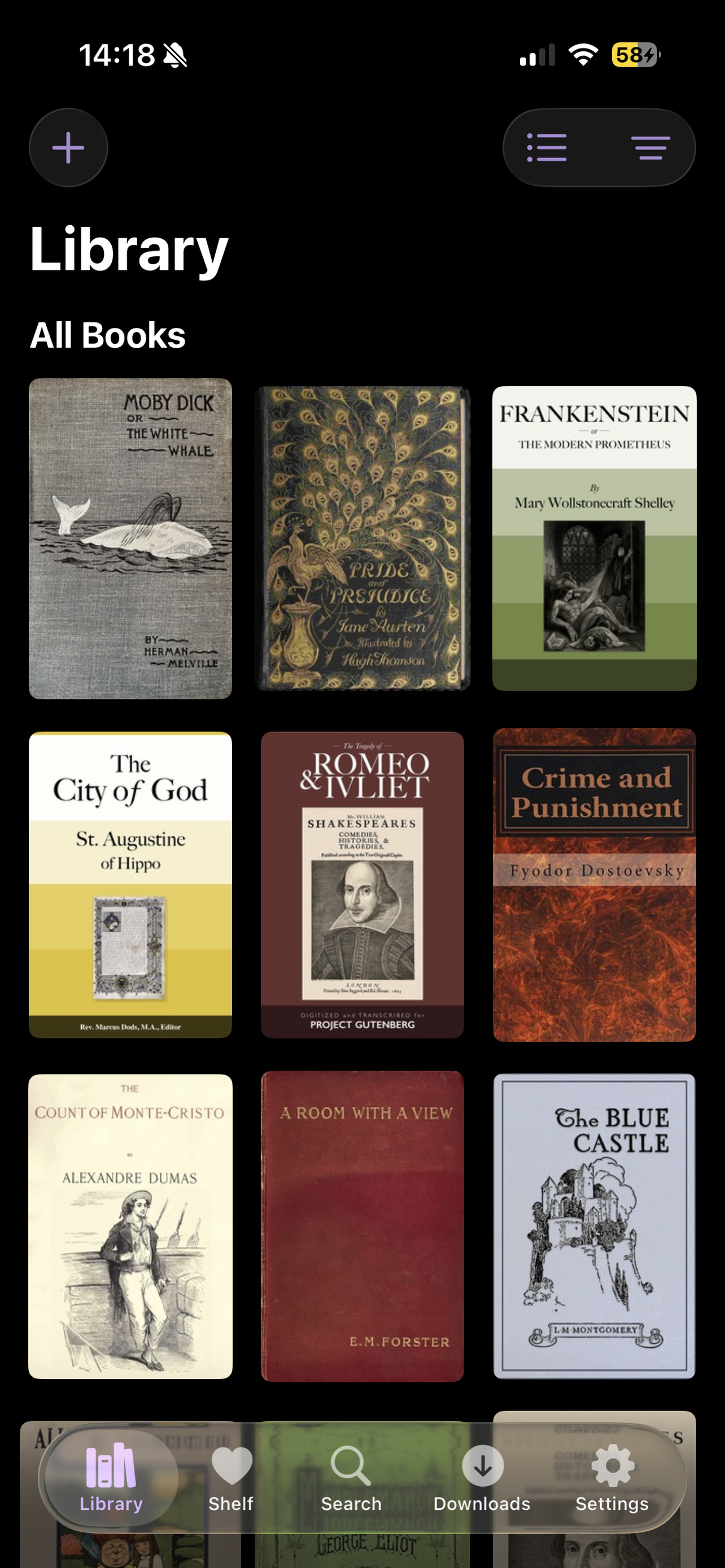
Sutra library screen

See it in action

4 screens
Library view
01 · library
02 · panel comics
03 · auto-scroll
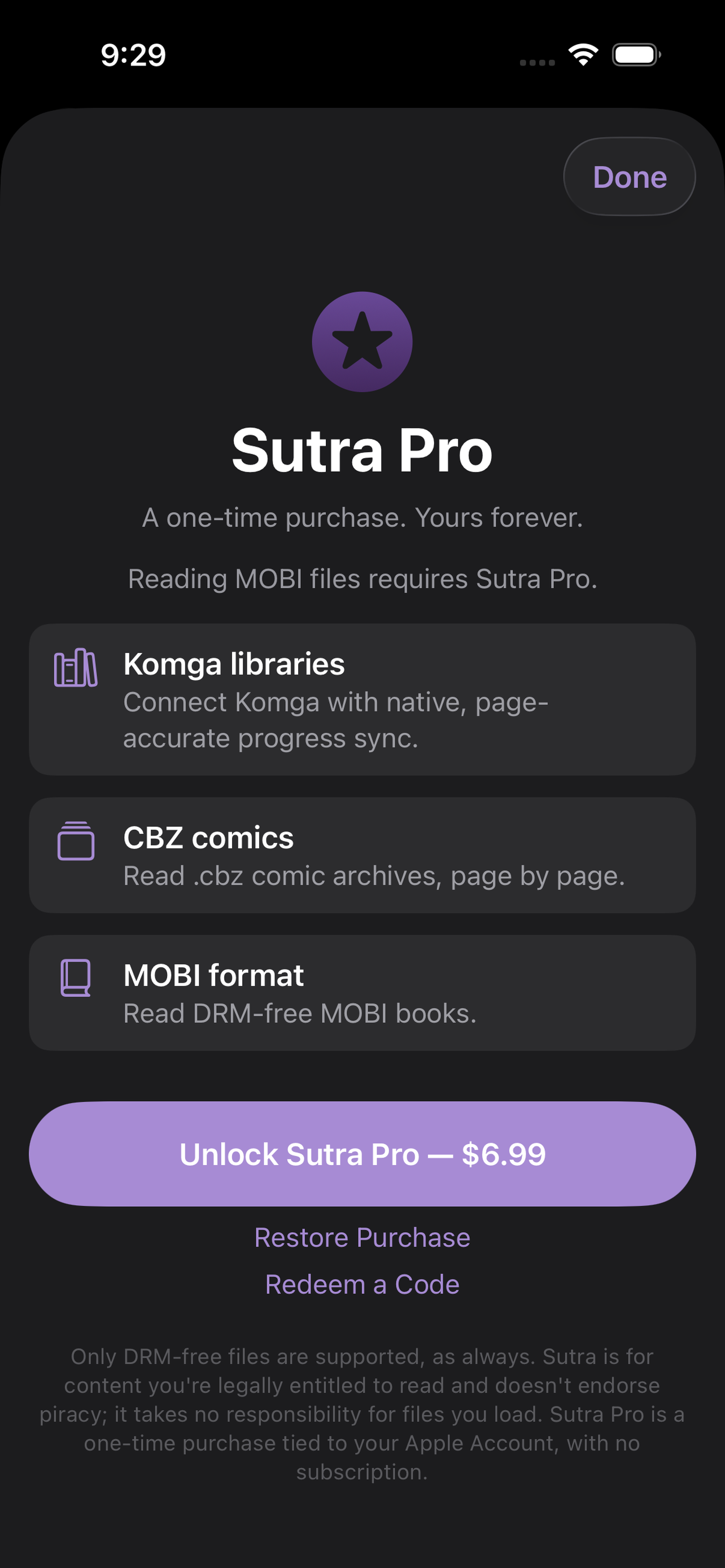
Sutra Pro unlock screen
04 · Sutra Pro
What's inside

Twelve things, done properly.

Bring your own server

Connect Kavita, Calibre, Grimmory, or any OPDS-compatible server in a few taps. Works on your local network — no cloud middleman. WebDAV hosts like Synology are supported too.

Gutenberg & Standard Ebooks

Project Gutenberg's 75,000+ public-domain classics and Standard Ebooks' typeset collection — no server required. Patrons Circle sign-in unlocks the full Standard Ebooks catalog.

EPUB, PDF & mobi

Authentic page-curl, rich typography controls, five reading themes (including high-contrast Contrast), bookmarks, in-book search, and color-coded highlights synced via iCloud. Two-panel facing-page spread on iPad.

Panel-aware comics & manga

Sutra detects panels and reads them one at a time. Full manga mode reads right-to-left with panel order that flows top-right to bottom-left. Page-curl animation and dedicated manga panel tuning. Switch any book between Regular and Manga from the reader's Aa menu — remembered per book.

Auto-scrolling

Set your pace and let the page flow — tap to pause, tap again to resume. Speed is adjustable from the reading settings. Perfect for hands-free reading.

Sideload local files

Open EPUB and PDF files directly from your phone — from your Files app, AirDrop, or any share sheet. No server required.

Highlights & Dictionary

Select text to highlight with color, double-tap a word to define it instantly — both sync across your devices via iCloud and are saved for later.

Pick up where you left off

iCloud syncs reading position, bookmarks, and highlights across all your devices. Kavita sync is page-accurate in both directions.

Browse by series

Books organize by series in the Collections Shelf based on metadata from your server — perfect for long fantasy and sci-fi runs.

WebDAV Servers

Browse and download EPUB and PDF files straight from any WebDAV host — Synology, or any server you run. Self-signed certificates are supported via a one-time trust prompt, no HTTPS workarounds needed.

Reading Statistics

A dedicated Stats tab tracks time read, your current streak, a swipeable activity chart, and reading progress across every book in your library — all in one place.

Try Before You Buy

Every CBZ comic and comic-shaped MOBI book opens with a free 7-page preview — read the first 7 pages of anything in your library before deciding whether to unlock Sutra Pro.

Where can I legally buy DRM-free books?

Sutra works with files you own outright — no DRM, no lock-in. We've put together a curated list of stores and publishers that sell ebooks the right way: you pay, you download, you keep the file forever.

Browse our curated list →
Sutra Pro

One price. All the extras. Forever.

Free forever
Everything you need to start reading
  • All OPDS servers — Kavita, Calibre, Grimmory, and more
  • Project Gutenberg & Standard Ebooks catalogs
  • EPUB & PDF reading with full typography controls
  • Panel-aware comic and manga reading
  • 7-page free preview of any CBZ or MOBI book
  • EPUB auto-scrolling
  • Sideload files from your phone
  • Color highlights synced via iCloud
  • Dictionary lookup, bookmarks, and in-book search
  • Series collections and smart sorting
  • WebDAV server browsing and downloads
  • Reading statistics — time read, streak, activity chart
  • Offline downloads and storage manager
  • Dark mode, left-handed page turns, Reduce Motion
Sutra Pro
Unlock more formats and Komga
$6.99
One-time purchase · No subscription · Yours forever
  • Native Komga server integration with page-accurate progress sync
  • .cbz comic archives — read comic archives in a fixed-layout, zoomable page reader
  • DRM-free MOBI books — read .mobi files you own
Unlock Sutra Pro →
Where it's headed

Built in the open, one version at a time.

1.0
Shipped
  • Kavita, Calibre, and OPDS server support
  • Project Gutenberg one-tap catalog
  • EPUB + PDF reading: themes, fonts, bookmarks, search
  • Offline downloads and storage manager
  • iCloud sync + page-accurate Kavita sync
1.2
Shipped
  • Standard Ebooks catalog, with Patrons Circle sign-in
  • Authentic page-curl page turns
  • Dark mode — Day, Night, or follow System
  • Left-Handed Page Turns for one-handed reading
  • Series info and sorting from your Kavita library
  • A wide pass of reliability and security fixes
1.3
Shipped
  • Text highlights with color — synced via iCloud
  • Instant dictionary — double-tap any word while reading
  • Browse books by series in the Collections Shelf
  • Calibre-Web-Automated support
  • Server compatibility improvements (Tailscale, Grimmory, OPDS detection)
  • Enhanced cover-image caching and library performance
2.0
Shipped
  • Panel-aware comic reading — one panel at a time
  • EPUB auto-scrolling with adjustable speed
  • Sideload local files from your phone
  • Sutra Pro: .cbz comics, .mobi books, and native Komga integration
2.1
Shipped
  • Manga mode — right-to-left reading, top-right to bottom-left panel order, dedicated panel tuning
  • WebDAV server support — Synology and any WebDAV host, self-signed cert trust prompt
  • Reading Statistics — time read, streak, swipeable activity chart, library-wide progress
  • Try Before You Buy — 7-page free preview of any CBZ comic or MOBI book
  • Two-panel facing-page spread on iPad (EPUB, MOBI, PDF in landscape)
  • Pinch-to-zoom on embedded images
  • High-contrast Contrast reading theme
  • Page-curl animation for comics
  • Smarter library — on-device caching, per-library filtering, bulk collection management
  • Adjust auto-scroll speed by swiping up or down while reading
  • Smoother continuous scrolling that resumes exactly where you stopped
  • Easier connectivity to self-hosted servers without HTTPS (Tailscale guidance)
  • Fix for books occasionally opening to a blank page
Android
Upcoming
  • A native Android app, bringing Sutra's OPDS library and reader to more devices